

Free from GitHub
- Full source, GPL licence
- Build and install it in Blender yourself
- Community help via GitHub issues, no response promise
Bought (with support)
- Ready-to-install extension zip and updates
- Support requests from inside Blender
- Reply within 24 hours, every reply checked by a human
- Funds development and a Blender Foundation donation
Anyone can download the code from GitHub and install it in Blender for free. Support is only for people who bought OpenBillow. Part of every sale goes to the Blender Foundation: see Donations.
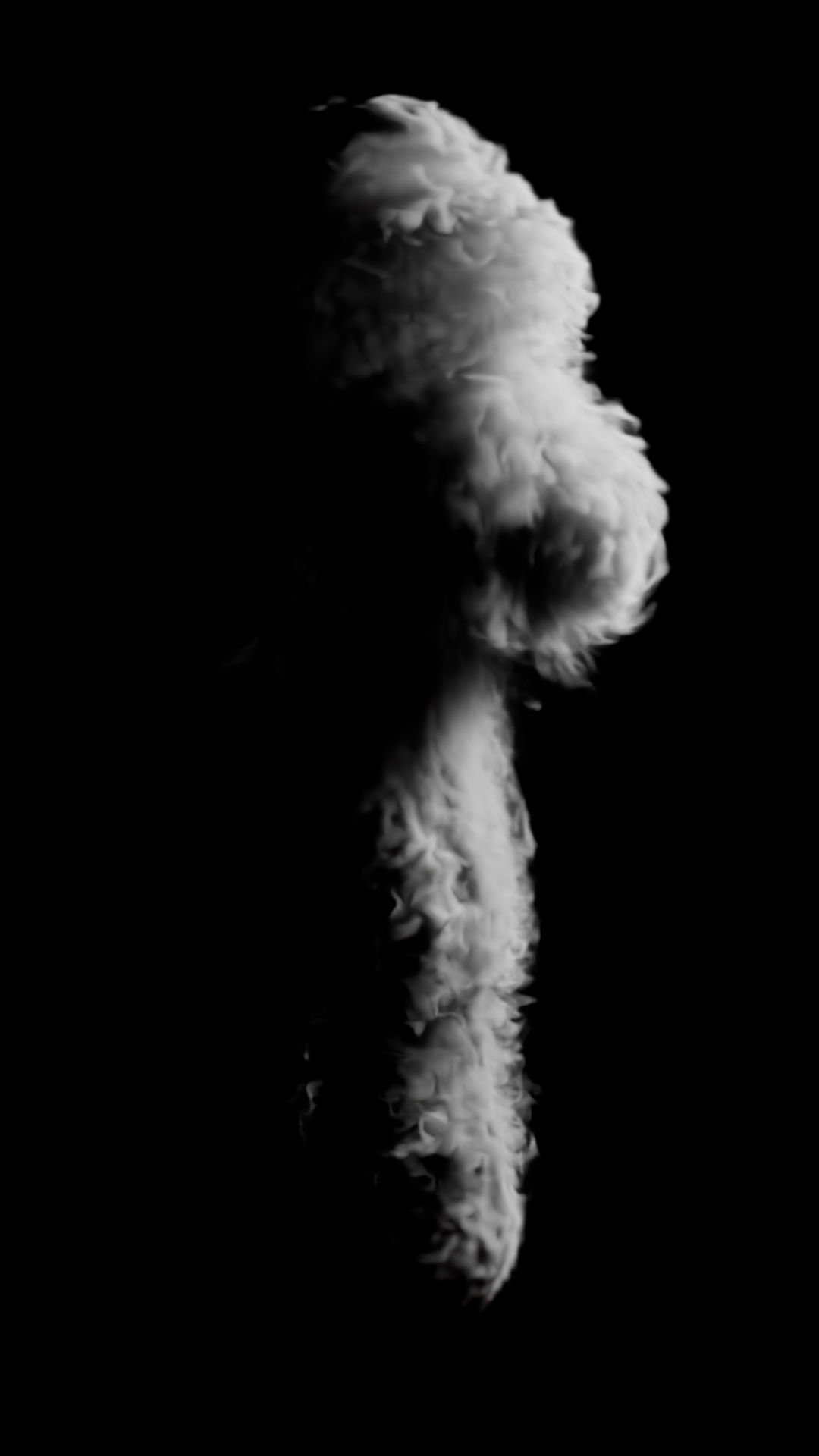
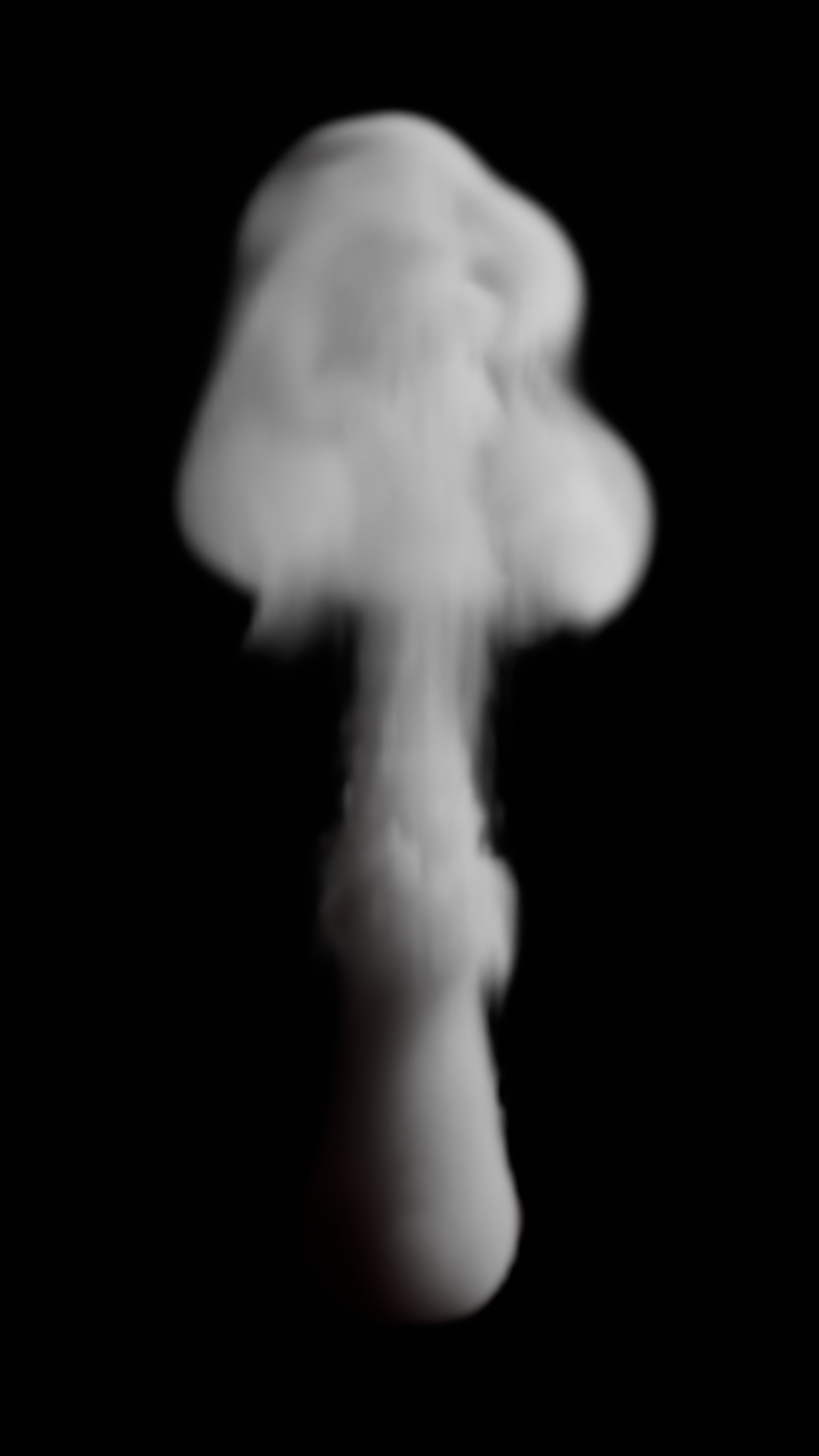
A GPU smoke solver for Blender. It follows Blender's Mantaflow gas algorithm, runs on NVIDIA GPUs through Warp, and writes OpenVDB sequences that Blender loads as Volume objects.
Status: v0.5.0-alpha, smoke, fire, noise and liquid with spray, foam and bubbles. The solver matches Mantaflow's reference scenes to within a few percent, and the Blender add-on (panels, bake, resume, cancel) works. Fire and moving obstacles work; no noise/upres yet. Progress and design decisions are in PLAN.md; changes are in CHANGELOG.md.
Install (Blender extension)
One small zip (about 70 KB) works on Windows and Linux. macOS is out: Warp needs CUDA.
Build it with tools/build_extension.py.
- In Blender: Edit > Preferences > Get Extensions > the arrow menu (top right)
Install from Disk…, then choose
openbillow-<version>.zip. - Enable the add-on and open the Physics tab of a mesh object.
- First use only: click Install GPU Engine in the OpenBillow panel. It downloads
NVIDIA Warp (about 105 MB) from PyPI into the add-on's folder. Needs internet.
On a machine without internet, run
<blender python> -m pip install --target <extension folder>/deps --no-deps warp-lang==1.18.0elsewhere and copy the folder over.
An NVIDIA GPU with a recent driver is required (v1 is CUDA only). The Windows install path has not been run on Windows yet.
Using the add-on
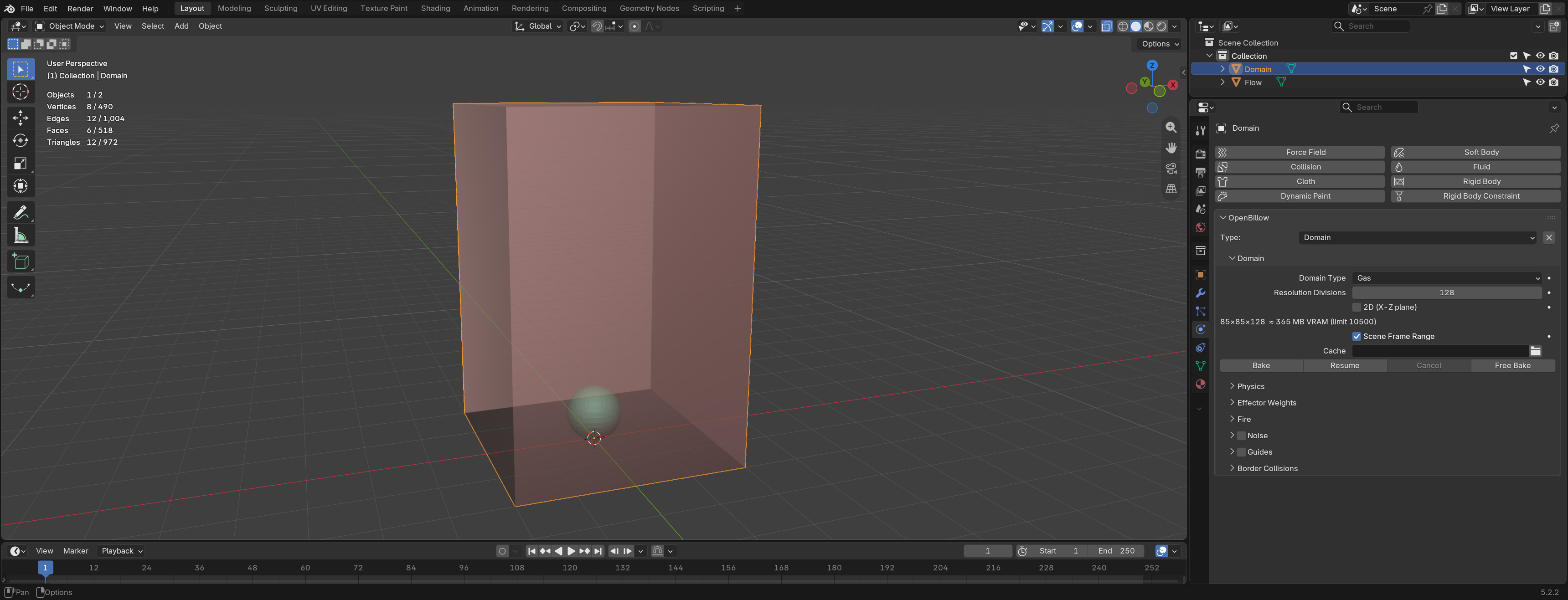
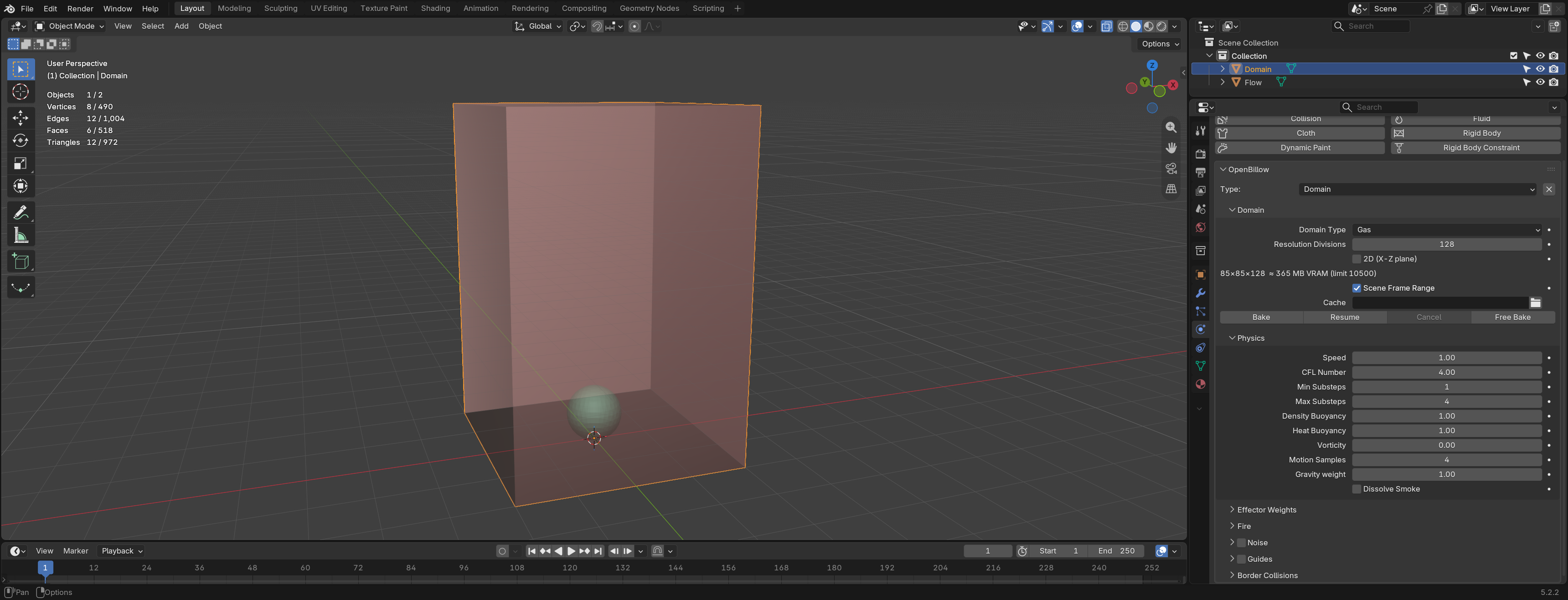
- Domain. Select a mesh (a box), open the Physics tab, and click Domain in the OpenBillow panel. Smoke is simulated inside this box.
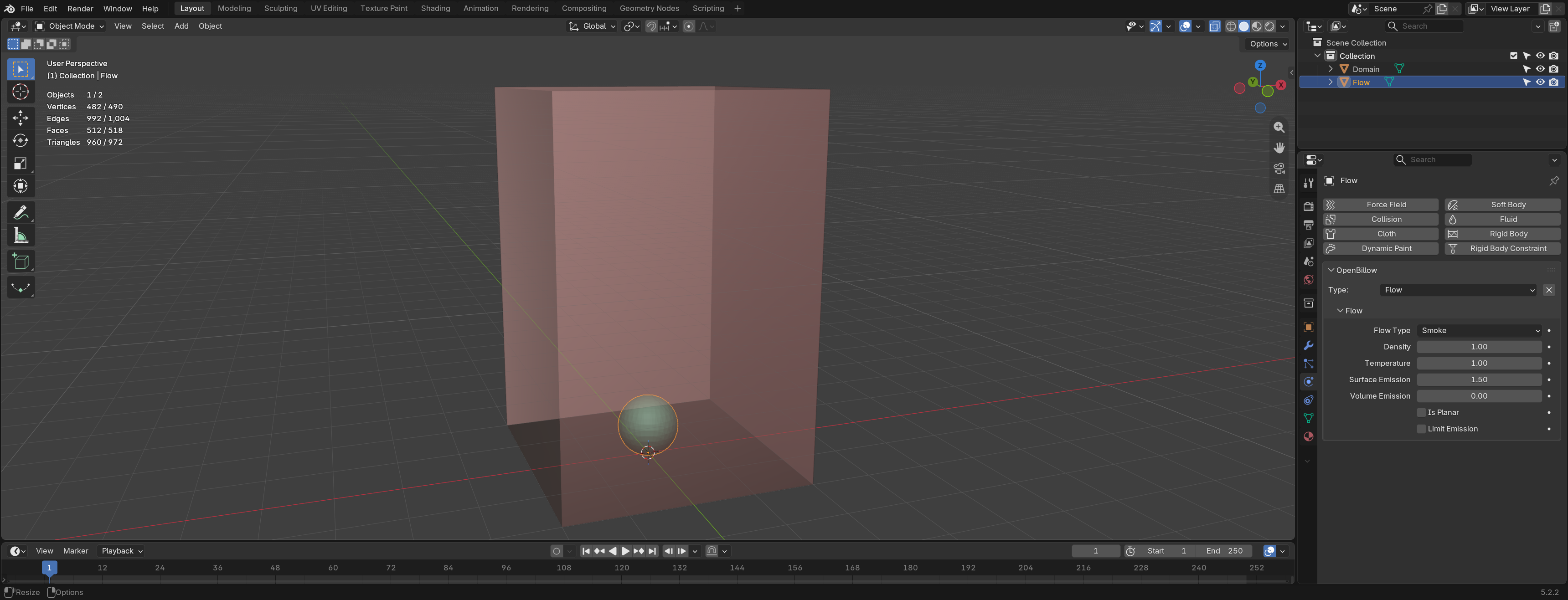
- Flow. Select another mesh and click Flow. It emits smoke: Density, Temperature, Surface Emission (how far from the surface smoke is added), Volume Emission, and Is Planar for flat meshes.
 3. Obstacle (optional). Select a mesh and click Obstacle. Smoke flows
around it and is pushed by it when it moves. Thickness and Is Planar
work as for Flow. Obstacles can be animated (keyframes, parenting,
constraints; not mesh deformation). A moving obstacle needs about a third
more VRAM, which the estimate does not show yet.
4. Domain settings.
- Resolution Divisions: cells along the longest side. The line below it
shows the grid shape and the estimated VRAM; it turns red above your limit.
- Scene Frame Range, or your own Start / End.
- Cache: bake folder. Empty uses the Cache Root from the add-on preferences
(empty by default, which means
3. Obstacle (optional). Select a mesh and click Obstacle. Smoke flows
around it and is pushed by it when it moves. Thickness and Is Planar
work as for Flow. Obstacles can be animated (keyframes, parenting,
constraints; not mesh deformation). A moving obstacle needs about a third
more VRAM, which the estimate does not show yet.
4. Domain settings.
- Resolution Divisions: cells along the longest side. The line below it
shows the grid shape and the estimated VRAM; it turns red above your limit.
- Scene Frame Range, or your own Start / End.
- Cache: bake folder. Empty uses the Cache Root from the add-on preferences
(empty by default, which means //openbillow_cache next to the .blend, one
folder per domain).
- Physics sub-panel: gravity, density and heat buoyancy, vorticity, smoke
dissolve, CFL number and substeps, speed. Same meaning as Blender's gas
settings.
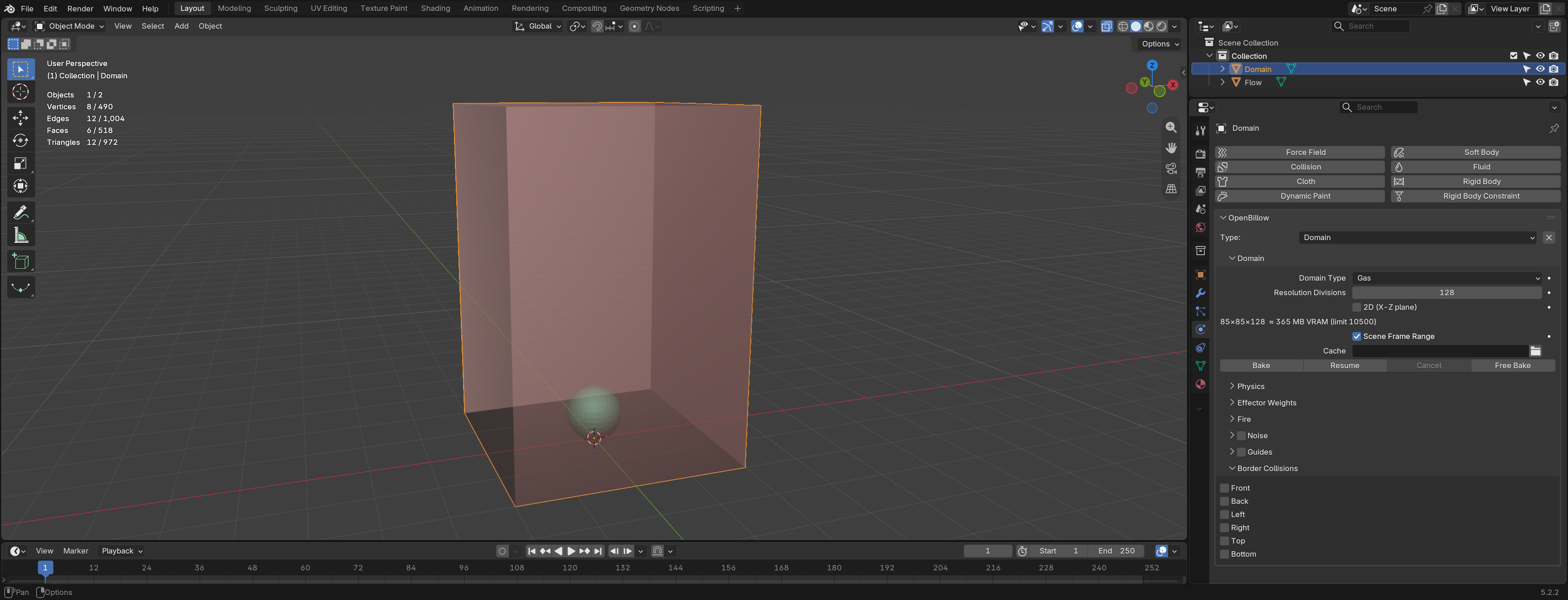
- Border Collisions: which domain faces act as walls (default: all open).
 5. Bake. Press Bake. Progress, ETA, peak VRAM and seconds per frame show
in the panel. When it finishes, a Volume object
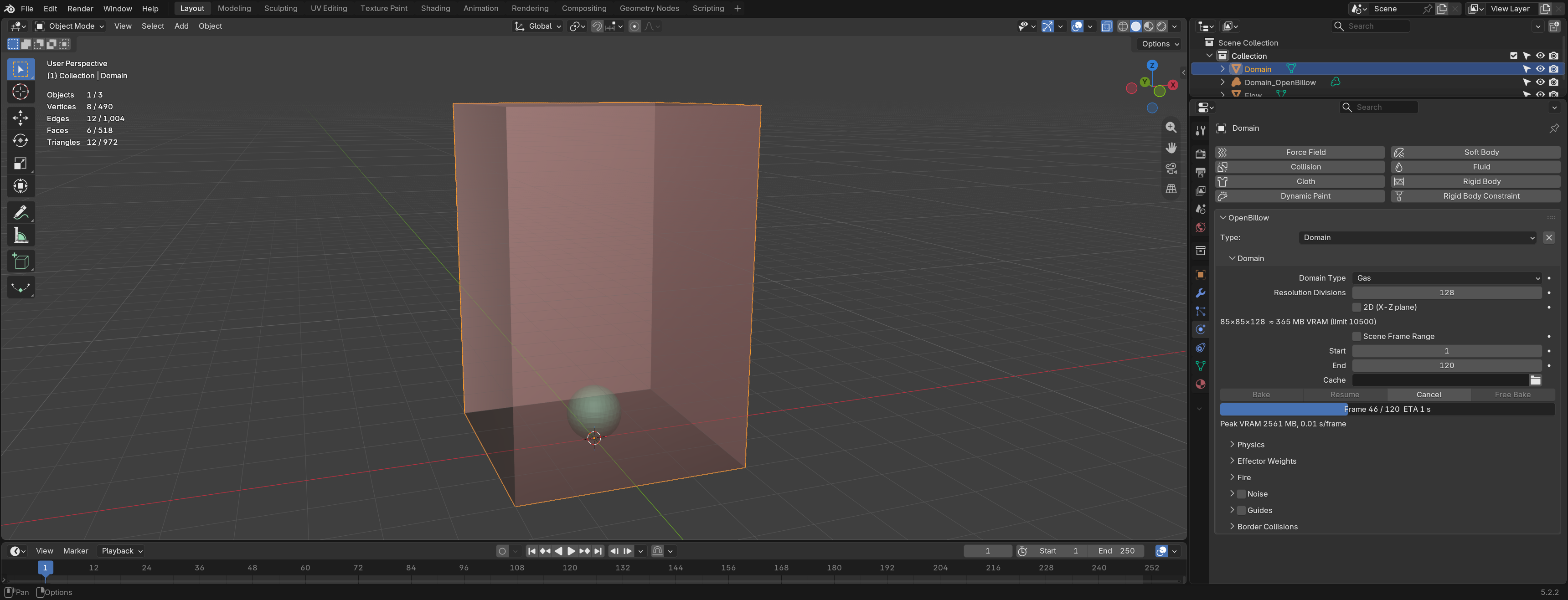
5. Bake. Press Bake. Progress, ETA, peak VRAM and seconds per frame show
in the panel. When it finishes, a Volume object <Domain>_OpenBillow is added,
showing the VDB sequence.
- Cancel stops the bake after a few seconds. Resume continues from
the last checkpoint (greyed out until the process has exited).
- Free Bake deletes the baked files and the Volume object.
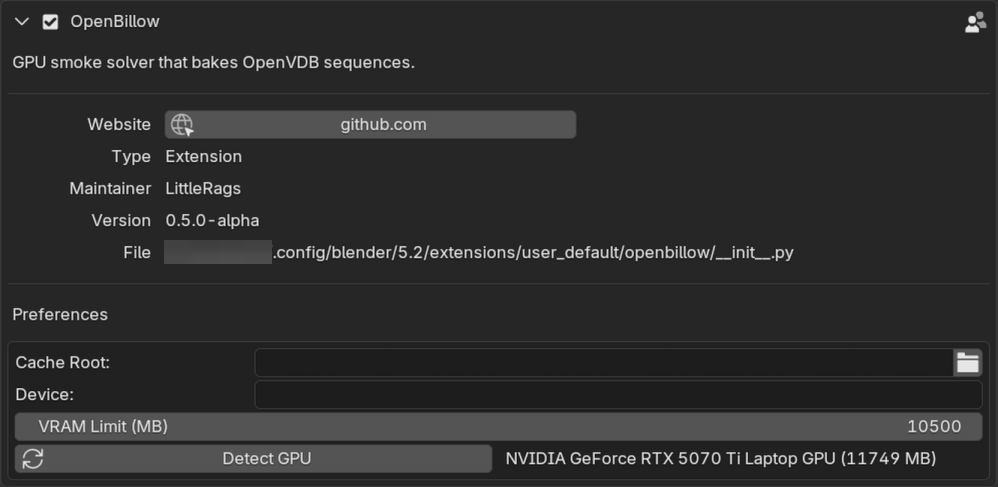
 6. Preferences (Edit > Preferences > Add-ons > OpenBillow): Cache Root,
Device (a Warp device such as
6. Preferences (Edit > Preferences > Add-ons > OpenBillow): Cache Root,
Device (a Warp device such as cuda:0; empty is Warp's default), and
VRAM Limit (MB) (bakes estimated above it are refused; 0 means detected
total minus 1 GB).
If a bake needs more VRAM than you have, lower Resolution Divisions. The estimate is shown before you bake.
Speed
xychart-beta
    title "Smoke: OpenBillow speed-up over Blender (higher is faster)"
    x-axis ["64³", "128³", "256³", "384³"]
    y-axis "Times faster than Blender" 0 --> 25
    bar [8.6, 12.7, 13, 12.9]
xychart-beta
    title "Liquid: OpenBillow speed-up over Blender (higher is faster)"
    x-axis ["64³", "128³", "256³", "384³"]
    y-axis "Times faster than Blender" 0 --> 25
    bar [4.9, 11, 15, 23.5]
| ms/frame | Res | Blender | OpenBillow | Speed-up |
|---|---|---|---|---|
| Smoke plume | 64³ | 30 | 3.5 | 8.6× |
| Smoke plume | 128³ | 135 | 10.6 | 12.7× |
| Smoke plume | 256³ | 1255 | 96 | 13× |
| Smoke plume | 384³ | 5860 | 455 | 12.9× |
| Liquid dam | 64³ | 85 | 17 | 4.9× |
| Liquid dam | 128³ | 665 | 60 | 11× |
| Liquid dam | 256³ | 6455 | 420 | 15× |
| Liquid dam | 384³ | 28200 | 1201 | 23.5× |
Same scenes, same machine, Blender 5.2 (CPU) vs OpenBillow (NVIDIA GPU), 20 frames, single runs. OpenBillow timings exclude writing the VDB files and a one-off ~25 s kernel compile per machine. OpenBillow liquid runs with its default improvements (e.g. volume correction); Blender's does not.
First bake on a machine is slow
The first bake on a machine spends about 25 s on frame 1 while Warp compiles the solver's GPU kernels. The add-on's progress stays at frame 0 meanwhile; the bake has not hung. Warp caches the compiled kernels, so later bakes start at once. It compiles again after a Warp update, an OpenBillow update that changes the kernels, or if the cache is deleted.
The cache is in ~/.cache/warp/<warp version>/ on Linux and
%LOCALAPPDATA%\NVIDIA\warp\Cache\<warp version>\ on Windows (about 20 MB).
Set WARP_CACHE_PATH to put it elsewhere.
Licence
GPL-3.0-or-later (see LICENSE). Files copied from Blender and Mantaflow keep their original licence headers (GPL-2.0-or-later and Apache-2.0). OpenBillow is free; if you find it useful, pay what you think it's worth.